Being A DIK






Game Description:
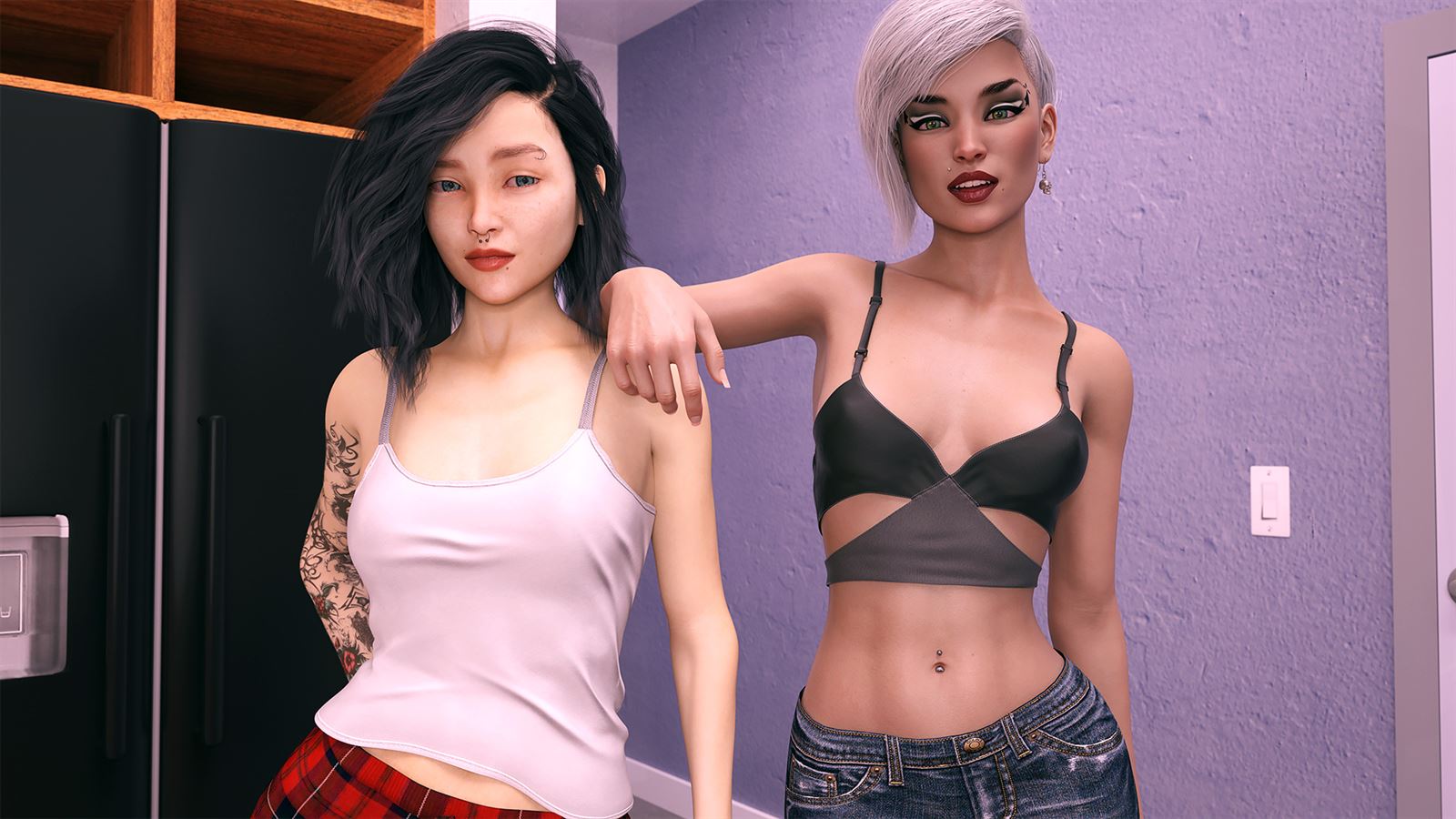
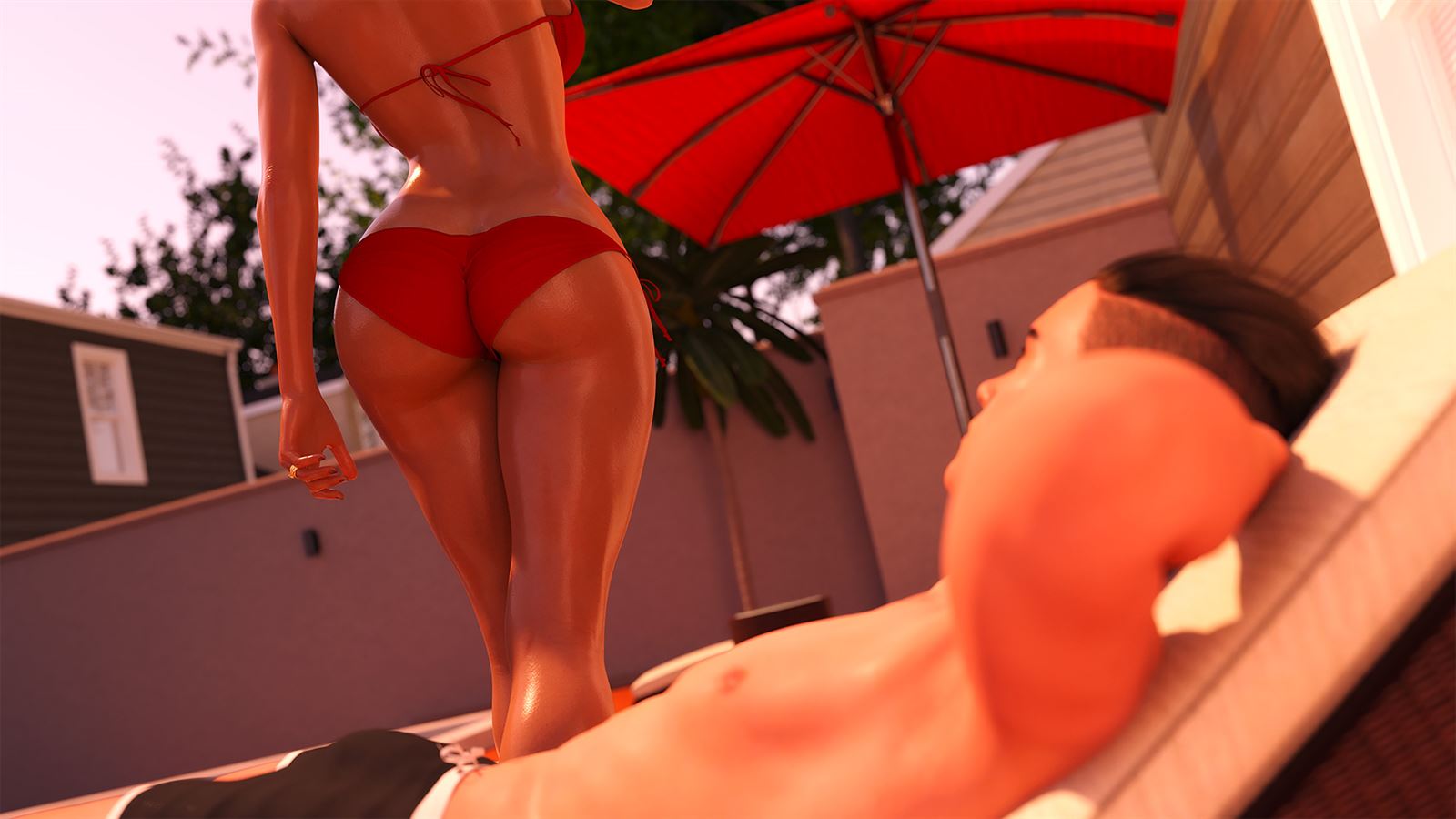
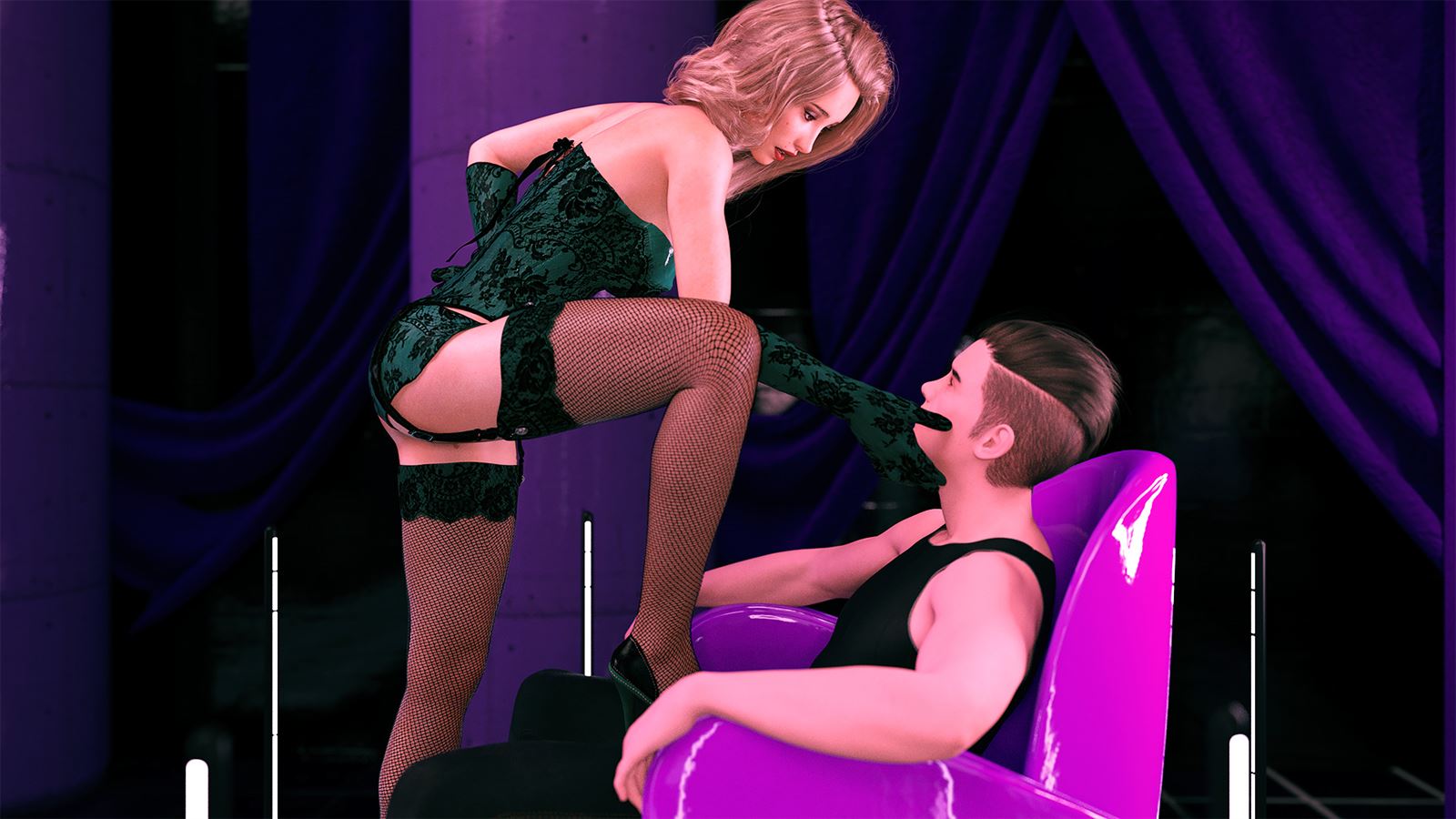
A young man from a modest background leaves behind his widowed father and summer romance to pursue higher education at Burgmeister & Royce. Upon entering college as a freshman, he is lured into joining the rapidly growing fraternity, Delta Iota Kappa, which leads him to encounter a new realm of challenges involving interpersonal tensions, alcohol, drugs and sexual experiences.
- Extract and run.
- Season 3 v0.11.1 Multi-Modded 1 Android Installation:
Extract .zip file complete instruction given there.
ALLOW STORAGE ACCESS
My Android Ports has a 2nd Persistent save location. So, even if you uninstall the game, the saves will remain Intact.
The game will automatically load all saved data from the 2nd save location when the new version is being installed(2nd save location: "internal storage/C18/") - Season 1&2 v0.11.1 Multi-Modded very Compressed & Less Compression Android Installation:
Download zip file
Use an app like RAR to unzip the file. Standard browsers have issues with large zip files
Install the apk file from the zip file
Run the game once to load into the menu and then close the game. This will allow the port to set up the required folder in your Documents folder
Move the archive.rpa file from the zip file to Documents/Eonor/e.beingadik.s1/game
Restart the game - Season 3 v0.11.1 Multi-Modded 2 Android Installation:
Download zip file
Use an app like RAR to unzip the file. Standard browsers have issues with large zip files
Install the apk file from the zip file
Run the game once to load into the menu and then close the game. This will allow the port to set up the required folder in your Documents folder
Move the archive.rpa file from the zip file to Documents/Eonor/e.beingadik.s3/game
Restart the game
If you do not read the instructions and ask for help because the install doesn't work, you will be laughed at and told to read the instructions.
Season 3 requires that you load a save from Season 2. You can do this by copying "BeingADIKSeason2Transfer1366998845" from - Documents/Eonor/e.beingadik.s1 to - Documents/Eonor/e.beingadik.s3.
If you have previously played the first seasons and want to get straight into Season 3 but don't have the required file, I have included a link to a version of BeingADIKSeason2Transfer1366998845(Mirror) with several different routes. You can add to Documents/Eonor/e.beingadik.s3.
- Fixed an issue with the episode 12 recap.
- Fixed an issue with Maya's dress during a free roam event.
- Improved the Save Transfer interface so that descriptions can be updated and stored when changing old descriptions.
- Fixed some persistent file issues that would cause the game to crash if the persistent file was wiped mid-episode.
- Fixed a couple of issues with the Party Planner evaluations.
- Fixed an issue with a missing render during an animation in episode 11.
- Fixed an issue with the music volume being set to a wrong value during two scenes.
- Fixed an issue with some pan animations causing a black screen when rolling back.
- Fixed an issue with buying Sage a Christmas gift in episode 11.
- Fixed an issue with Jill's gift appearing in free roam events when it shouldn't.
- Fixed an issue with unlisted music not appearing in the music player unless the persistent file was wiped.
- Fixed an issue with the Science mini-game where the timer in Step 9 of Experiment 3 was 5 seconds faster than intended.
- Corrected typos.
- Dual Core Pentium or equivalent Processor.
- Intel HD 2000 or equivalent Graphics.
- 23.73 GB of free disk space (Recommended to have twice as much free disk space than this).
Being A DIK - Ongoing - v.0.12.1 Links And Mirrors
About The Game: Being A DIK is a porn game made on Ren'Py game engine. This game is rated M and meant for adults with explicit contents and strong language. It is advised to read the tags to get an idea about the game. The current available version is v.Being A DIK. THe contents of the game is Uncensored. Being A DIK is developed and distributed by Dr PinkCake, Please support Dr PinkCake if want the development of Being A DIK game going or want to see more new games from them in future. The download links are crawled and gathered from various public sites. We do not host/modify or alter the contents. The uploader is responsible for the DMCA.
Being A DIK's latest build v.0.12.1 is available in Windows, Linux, MacOS, Android platforms and currently Ongoing. We last updated this game in August 19, 2026.
Being A DIK's latest build v.0.12.1 is available in Windows, Linux, MacOS, Android platforms and currently Ongoing. We last updated this game in August 19, 2026.
Walkthrough and Guide
Sex Sound Patch¹(Universal): FILEKNOT - MEGA - PIXELDRAIN
Compressed Sex Sound Patch¹(Universal): FILEKNOT - MEGA - PIXELDRAIN
OFFICIAL WALKTHROUGH SEASON 1 (EP 1-4): FILEKNOT - MEGA
OFFICIAL WALKTHROUGH SEASON 2 (Ep 5-8): FILEKNOT - MEGA
OFFICIAL COMPLETE WALKTHROUGH SEASON 3: FILEKNOT - MEGA
OFFICIAL WALKTHROUGH EP11: FILEKNOT
WALKTHROUGH UP TO EP12: FILEKNOT - MEGA
EP 11 PANTY PARTY GUESS WHO GAME GUIDE: FILEKNOT
MANSION MINIGAME GUIDE(MINIMAL): FILEKNOT
MANSION REPAIR 250K GUIDE: FILEKNOT
VIDEO ENHANCEMENT MOD SEASON 1 & 2: FILEKNOT - MEGA - GOFILE
VIDEO ENHANCEMENT MOD SEASON 3 INTERLUDE + EPISODE11: FILEKNOT - MEGA - GOFILE
VIDEO ENHANCEMENT INSTALLATION:
1) Copy the "game" folder into the game root directory, next to "BeingADIK.exe"
2) The files you copied have now priority over the native animations
3) enjoy
VIDEO ENHANCEMENT FEATURES:
- All compatible animations have been interpolated to a framerate of 60 fps using deep learning processes
- In addition to a higher framerate, all animations have been re-encoded with optimized parameters that provide minor visuals enhancements such as : less compression artificats due to VP9 encoding, less video noise and a relatively small file size
GALLERY UNLOCKER SEASON 3: FILEKNOT - GOFILE - WORKUPLOAD
GALLERY UNLOCKER INSTALLATION:
- Extract the files into "game" sub-folder of the game.
- MAKE SURE YOU RUN THE GAME ATLEAST ONCE BEFORE APPLYING THE MOD
-Gallery Unlocker without breaking game (hopefully)
-All Scenes unlocked (50% and 100% ones too)
PRESIDENT FILE: FILEKNOT
PRESIDENT FILE INSTALLATION:
So many people asking about saves to unlock the gallery or precisely the rewards and scenes. Guys, it doesn't work with saves. You need the persistent file. I'll gave you mine if you want. Here are ZIP's with my persistent files (Season 1 and 2 Version 0.8.x, Steam and the Season 3 Version 0.11.x). You only have to delete your old persistent file and put the new one into your save folder. Make sure to use the correct file for the correct game.
Have fun with it!
For the ones who don't know where to copy the file: (name of your BaDIK-folder)gamessaves
SAVE FILES: FILEKNOT
Saves/Persistent/Transfer Data - Install Location & Instructions:
Side Note for all Saves: Episodes 1-8 Saves and Season 1&2 Persistent will be stored in separate folder labeled "BeingaDIK-1535311494" whereas the Interlude Start Saves, Episode 9 Start Saves as well as Season 3 Persistent will be stored in a folder named "BeingaDIKSeason3-Patreon-1535311494". The numbers at the end may be different for you. Your Renpy saves can be found here https://savelocation.net/renpy. DO NOT attempt to put Season 1&2 files into the new Interlude. It will cause errors. THESE SAVES DO NOT WORK ON STEAM BUILDS.
Side Note for Transfer Data: This file is the binary data for the saves stated above that will be stored for import in Season 3. This file is stored in a folder labeled "persistent" in your Renpy Saves folder. Your Renpy saves can be found here https://savelocation.net/renpy. If you are unable to figure out where to find/store this file, despite the link, then to avoid confusion, it's best to load the "Episode 8 End Saves" in Season 1-2 of Being a DIK, then save the binaries in game when prompted. Your computer will take care of the rest for you. You just have to click "Import" in the Main Menu of Season 3 (Interlude)
MULTI MOD SEASON 1 & 2: FILEKNOT - MEGA - PIXELDRAIN
MULTI MOD SEASON 3: FILEKNOT - MEGA - PIXELDRAIN
MULTI MOD INSTALLATION:
Extract the folder "game" to your Being A DIK folder then overwrite if asked

MAC:
Unzip the mod -> Right click Being a DIK -> Click "Show Package Contents" -> Open the "Contents/Resources/autorun" folder -> Hold the Option key and drag the folder named "game" from the mod into the "autorun" folder -> Click merge
MULTI MOD FEATURES:
Scene changes:
HAREM MOD SEASON 1+2: FILEKNOT - MEGA - MEDIAFIRE
HAREM MOD SEASON 3 (12.0 & 12.1): FILEKNOT - MEGA - MEDIAFIRE
HAREM MOD INSTALLATION:
Season 1+2:
1. Remove the previous version of this mod.
2. Do not leave old loose .rpy or matching .rpyc files behind.
3. Open the Season 1+2 ZIP.
4. Copy the contents of the ZIP into the root Being a DIK Season 1+2 folder.
5. Merge folders when prompted.
6. Launch normally.
A new playthrough is recommended for the full maximum-content experience.
Season 3
Same process:
1. Remove the previous mod version.
2. Copy the Season 3 ZIP contents into the root Season 3 folder.
3. Merge folders.
4. Launch normally.
Existing Season 3 saves and normal Season 1+2 imports can be used.
Recommended Playthrough
Modded Season 1+2 → Finish Episode 8 → Create Season 3 transfer → Launch modded Season 3 → Import transfer.
Mod checks - Crash FIX:
This is the tutorial on how to the remove the MOD check.
- You have to download the unren tool: LZMODS
-Extract the .bat file in the game folder (ex:BeingADIK-S3EP12BeingADIK-S3EP12game)
- Launch the bat file
- Choose option 1 Extract RPA packages
- Choose option 2 Decompile rpyc files
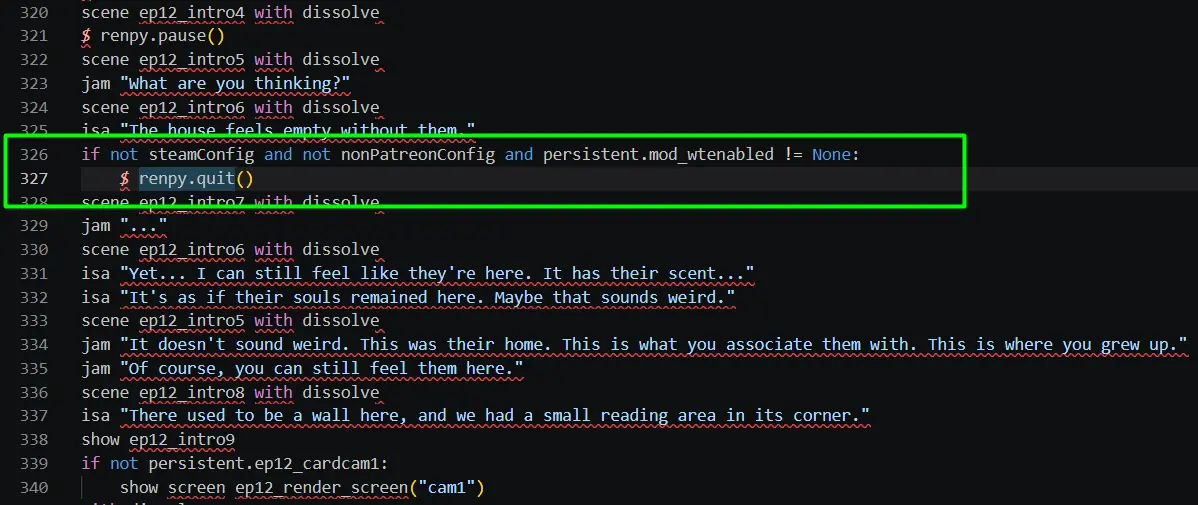
- Then we figure out which scripts has the "quit" line
In the BeingADIK-S3EP12BeingADIK-S3EP12gamescriptsepisode12 folder
Open Update12.rpy scripts
Open the file with an editor, notepad, visual studio code(fave), notepad +++, etc....
remove lines 326 and 327
Save

VAULT CODES:
Episode 1: 1386
Episode 2: 4413
Episode 3: 3985
Episode 4: 0421
Episode 5: 4226
Episode 6: 4463
Episode 7: 1159
Episode 8: 3211
Interlude: 2575
Episode 9: 4232
Episode10: 8313
Episode11: 3258
Episode12: 0125
Compressed Sex Sound Patch¹(Universal): FILEKNOT - MEGA - PIXELDRAIN
OFFICIAL WALKTHROUGH SEASON 1 (EP 1-4): FILEKNOT - MEGA
OFFICIAL WALKTHROUGH SEASON 2 (Ep 5-8): FILEKNOT - MEGA
OFFICIAL COMPLETE WALKTHROUGH SEASON 3: FILEKNOT - MEGA
OFFICIAL WALKTHROUGH EP11: FILEKNOT
WALKTHROUGH UP TO EP12: FILEKNOT - MEGA
EP 11 PANTY PARTY GUESS WHO GAME GUIDE: FILEKNOT
MANSION MINIGAME GUIDE(MINIMAL): FILEKNOT
MANSION REPAIR 250K GUIDE: FILEKNOT
VIDEO ENHANCEMENT MOD SEASON 1 & 2: FILEKNOT - MEGA - GOFILE
VIDEO ENHANCEMENT MOD SEASON 3 INTERLUDE + EPISODE11: FILEKNOT - MEGA - GOFILE
VIDEO ENHANCEMENT INSTALLATION:
1) Copy the "game" folder into the game root directory, next to "BeingADIK.exe"
2) The files you copied have now priority over the native animations
3) enjoy
VIDEO ENHANCEMENT FEATURES:
- All compatible animations have been interpolated to a framerate of 60 fps using deep learning processes
- In addition to a higher framerate, all animations have been re-encoded with optimized parameters that provide minor visuals enhancements such as : less compression artificats due to VP9 encoding, less video noise and a relatively small file size
GALLERY UNLOCKER SEASON 1 & 2: FILEKNOT - GOFILE - WORKUPLOAD
GALLERY UNLOCKER SEASON 3: FILEKNOT - GOFILE - WORKUPLOAD
GALLERY UNLOCKER INSTALLATION:
- Extract the files into "game" sub-folder of the game.
- MAKE SURE YOU RUN THE GAME ATLEAST ONCE BEFORE APPLYING THE MOD
GALLERY UNLOCKER FEATURES:
-Gallery Unlocker without breaking game (hopefully)
-All Scenes unlocked (50% and 100% ones too)
PRESIDENT FILE: FILEKNOT
PRESIDENT FILE INSTALLATION:
So many people asking about saves to unlock the gallery or precisely the rewards and scenes. Guys, it doesn't work with saves. You need the persistent file. I'll gave you mine if you want. Here are ZIP's with my persistent files (Season 1 and 2 Version 0.8.x, Steam and the Season 3 Version 0.11.x). You only have to delete your old persistent file and put the new one into your save folder. Make sure to use the correct file for the correct game.
Have fun with it!
For the ones who don't know where to copy the file: (name of your BaDIK-folder)gamessaves
SAVE FILES: FILEKNOT
Saves/Persistent/Transfer Data - Install Location & Instructions:
Side Note for all Saves: Episodes 1-8 Saves and Season 1&2 Persistent will be stored in separate folder labeled "BeingaDIK-1535311494" whereas the Interlude Start Saves, Episode 9 Start Saves as well as Season 3 Persistent will be stored in a folder named "BeingaDIKSeason3-Patreon-1535311494". The numbers at the end may be different for you. Your Renpy saves can be found here https://savelocation.net/renpy. DO NOT attempt to put Season 1&2 files into the new Interlude. It will cause errors. THESE SAVES DO NOT WORK ON STEAM BUILDS.
Side Note for Transfer Data: This file is the binary data for the saves stated above that will be stored for import in Season 3. This file is stored in a folder labeled "persistent" in your Renpy Saves folder. Your Renpy saves can be found here https://savelocation.net/renpy. If you are unable to figure out where to find/store this file, despite the link, then to avoid confusion, it's best to load the "Episode 8 End Saves" in Season 1-2 of Being a DIK, then save the binaries in game when prompted. Your computer will take care of the rest for you. You just have to click "Import" in the Main Menu of Season 3 (Interlude)
MULTI MOD SEASON 1 & 2: FILEKNOT - MEGA - PIXELDRAIN
MULTI MOD SEASON 3: FILEKNOT - MEGA - PIXELDRAIN
MULTI MOD INSTALLATION:
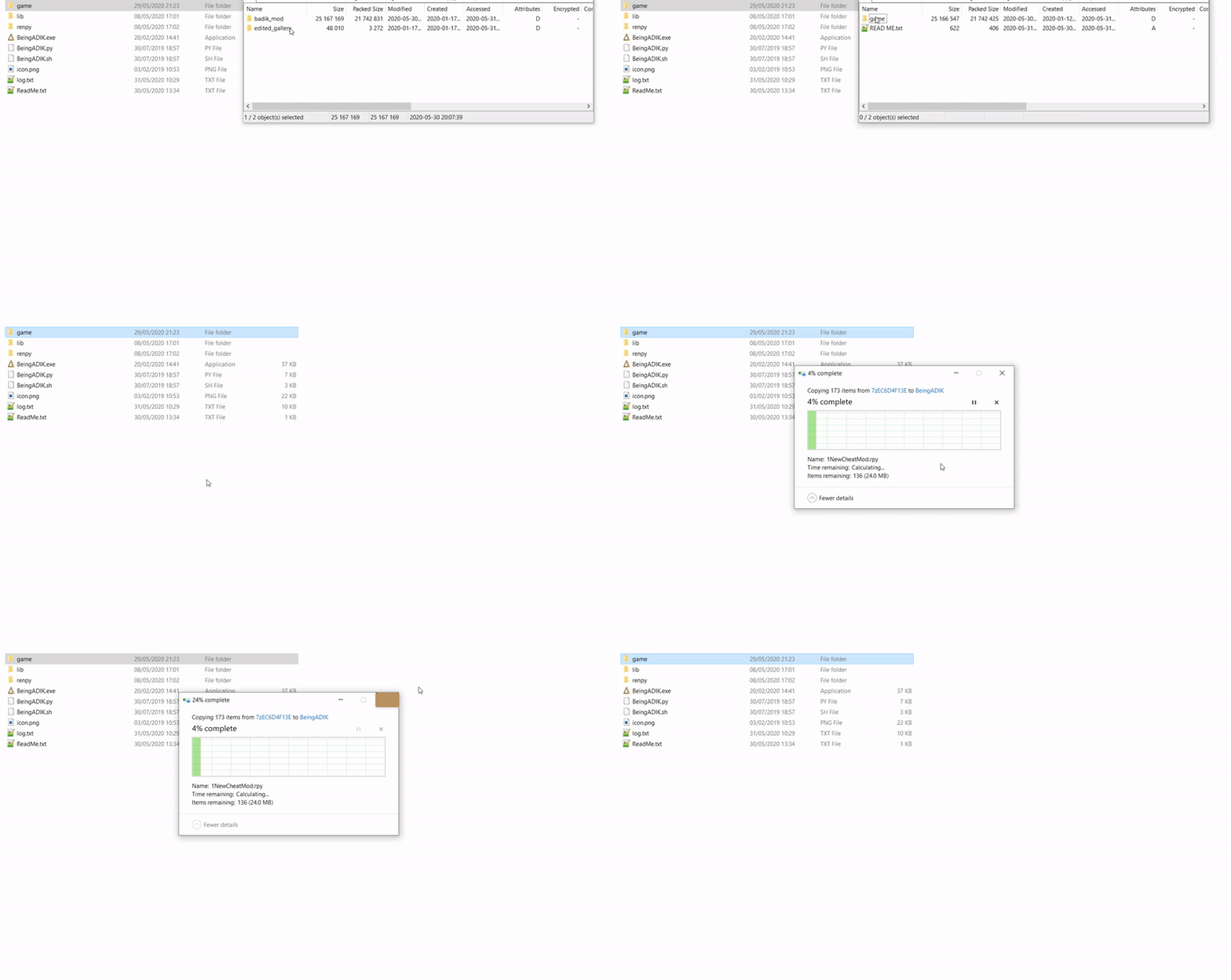
Extract the folder "game" to your Being A DIK folder then overwrite if asked
MAC:
Unzip the mod -> Right click Being a DIK -> Click "Show Package Contents" -> Open the "Contents/Resources/autorun" folder -> Hold the Option key and drag the folder named "game" from the mod into the "autorun" folder -> Click merge
MULTI MOD FEATURES:
- Walkthrough that shows the results of your dialogue options
- Dialogue that gives you more points is colored green
- Phone text messages that give you points are bordered green
- Answers shown for tests
- Cheat Menu that lets you edit Points
- Unlocking all Scenes/Rewards
Scene changes:
- Episode 2 can see all scenes during DIK party
- Episode 5 can pick both Maya and Josy path
HAREM MOD SEASON 1+2: FILEKNOT - MEGA - MEDIAFIRE
HAREM MOD SEASON 3 (12.0 & 12.1): FILEKNOT - MEGA - MEDIAFIRE
HAREM MOD INSTALLATION:
Season 1+2:
1. Remove the previous version of this mod.
2. Do not leave old loose .rpy or matching .rpyc files behind.
3. Open the Season 1+2 ZIP.
4. Copy the contents of the ZIP into the root Being a DIK Season 1+2 folder.
5. Merge folders when prompted.
6. Launch normally.
Being a DIK/

└── game/

└── ...
A new playthrough is recommended for the full maximum-content experience.
Season 3
Same process:
1. Remove the previous mod version.
2. Copy the Season 3 ZIP contents into the root Season 3 folder.
3. Merge folders.
4. Launch normally.
Existing Season 3 saves and normal Season 1+2 imports can be used.
Recommended Playthrough
Modded Season 1+2 → Finish Episode 8 → Create Season 3 transfer → Launch modded Season 3 → Import transfer.
Mod checks - Crash FIX:
This is the tutorial on how to the remove the MOD check.
- You have to download the unren tool: LZMODS
-Extract the .bat file in the game folder (ex:BeingADIK-S3EP12BeingADIK-S3EP12game)
- Launch the bat file
- Choose option 1 Extract RPA packages
- Choose option 2 Decompile rpyc files
- Then we figure out which scripts has the "quit" line
In the BeingADIK-S3EP12BeingADIK-S3EP12gamescriptsepisode12 folder
Open Update12.rpy scripts
Open the file with an editor, notepad, visual studio code(fave), notepad +++, etc....
remove lines 326 and 327
Save
VAULT CODES:
Episode 1: 1386
Episode 2: 4413
Episode 3: 3985
Episode 4: 0421
Episode 5: 4226
Episode 6: 4463
Episode 7: 1159
Episode 8: 3211
Interlude: 2575
Episode 9: 4232
Episode10: 8313
Episode11: 3258
Episode12: 0125